01 / Your Money, Your Plan
Enjoy now.
Save for later.
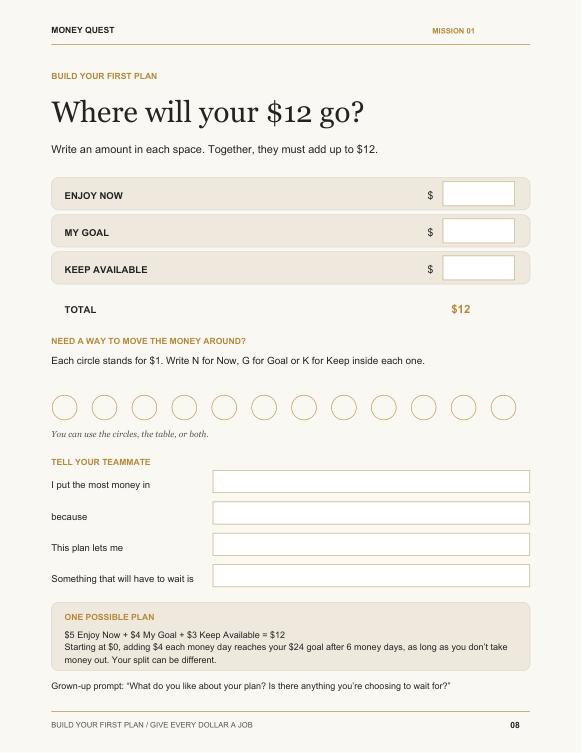
Start with $12 in pretend money. Choose how much to spend now, save for something they want, and keep for a surprise.
LEARN TO MAKE A MONEY PLAN
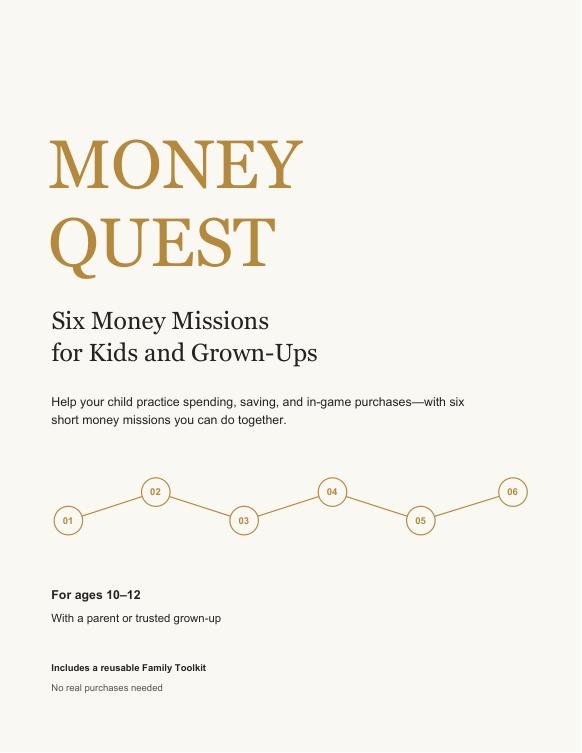
Money Quest gives you six simple activities to do together. Your child practises spending, saving, and choosing what matters to them. For ages 10–12.
PDF download · Print it or fill it in on-screen
“Save your money” sounds simple. But your child still has questions: Can I afford it? What will I have left? Will I still have enough for something else?
That’s where Money Quest comes in. Start with $12 in pretend money. Your child decides how much to spend now, save for a goal, and keep for later. Then you talk about their choice.
You can ask, “What do you like about your plan?” The workbook gives you questions like this along the way, so you have somewhere to start.
Each mission gives your child a new choice to make. Start with their money plan, or jump to a question they’re asking right now.
Start with $12 in pretend money. Choose how much to spend now, save for something they want, and keep for a surprise.
Next, visit a pretend game shop. Find out how much real money the tokens cost—and how much is left after buying.
Now friends want it too, and the offer ends soon. Pause and ask: Do I want this? What else could I use my money for?
A surprise changes the weekend. Check how much money is left, then choose what to keep, change or skip.
Pick something they really want. Work out how much more they need and how they could save for it.
Finally, put it all together. Your child plans a family activity using an amount of money you agree on.
Here are real pages from the book.
Tap below to see a different activity.
Your child has $12 to plan with. They choose what to spend, save and keep. Then you ask what they like about the plan—and what has to wait.
Get Money Quest · $29.00 USD →They can tell you their answer, draw it, or let you write it down. You can have the conversation without filling in every box.
The book gives you questions to ask and examples to help. Listen to their answer, talk it through, and keep your family’s buying rules in place.
Use the pretend money amounts in the book. Your child doesn’t need pocket money, and you don’t need to buy anything.
A mission takes about 15–20 minutes. Short on time? Make the first choice together and come back to the rest another day.
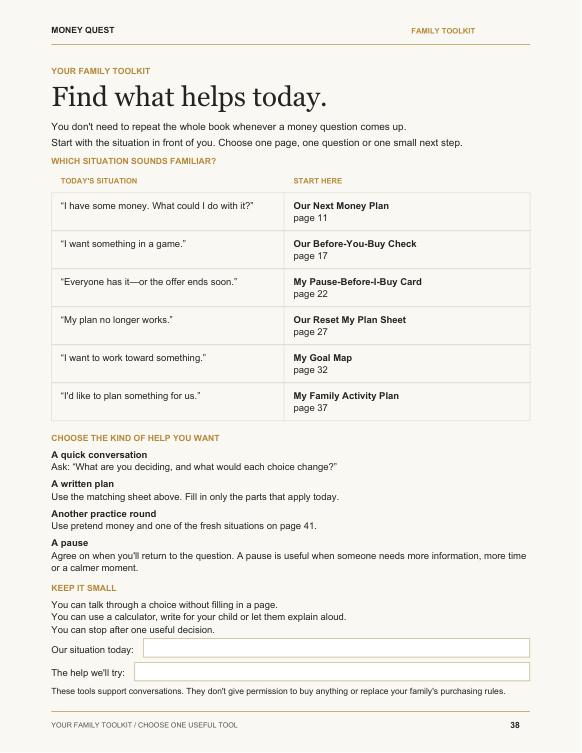
Your child gets some money. Wants a game item. Or starts saving for something new. Open the Family Toolkit: six pages you can use again for moments like these.
Money Quest · Ages 10–12 · Do it with a parent or trusted adult
PDF download · This is a digital book, not a printed book
Get the PDF after you buy.
Choose one that fits your day. Print its pages or open them in a PDF app that lets you fill in the boxes.
Ask what they would do and why. Stop when you need to. You can come back later.
It’s a 44-page PDF you download after buying. A printed book won’t be sent to you. You can print the pages you want to use.
Yes. To type into the boxes, use a PDF app that supports fill-in forms. Some apps only let you read the pages. Save your answers as you go, or print the activity pages and write on them.
No. Use the pretend money amounts in the book. There’s nothing you need to buy for the activities.
They can say their answer out loud, draw it, or have you write it down. Talk about the choice and leave the boxes blank if that works better.
No. Start with Mission 1 or pick the question your child is asking today. You can stop, come back, and try a mission again.
It’s made for kids ages 10–12 to use with a parent or trusted adult. Help with reading and maths whenever they need it.
They may still make quick choices. The missions give them practice checking the price, seeing what money is left, and talking about what they want. You can return to those questions when they need help.
Yes. Use the six Family Toolkit pages when another money question comes up. Or try a mission again with a different choice.
You’ll have a question to ask back: “What would you have left?” Start practising that conversation now, with one short mission you can do together.
Get Money Quest · $29.00 USD →6 missions · Around 15–20 minutes each · Ages 10–12